二十五个精美的后台管理界面模板和布局
任何系统都会有一个管理后台,好看的管理后台看起来赏心悦目,管理的时候心情也舒畅,本文给大家推荐 25 个制作精美的后台管理界面的模板和布局,你值得拥有。
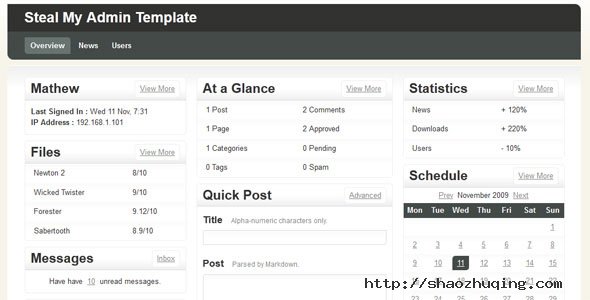
Free Admin Template
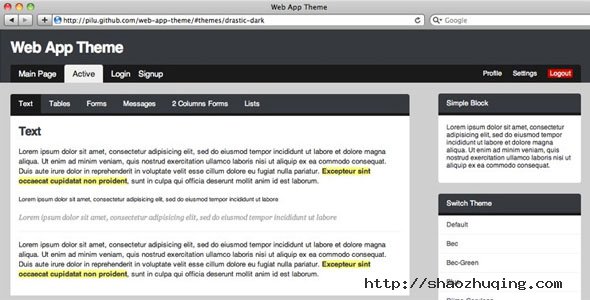
Web App Theme
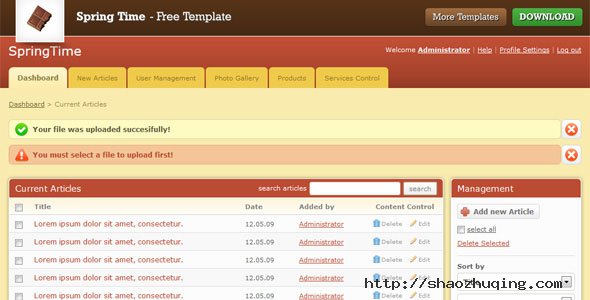
Spring Time
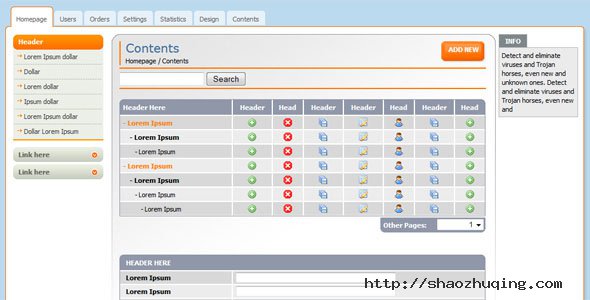
Free Admin Template For Web Applications
Free Admin Template
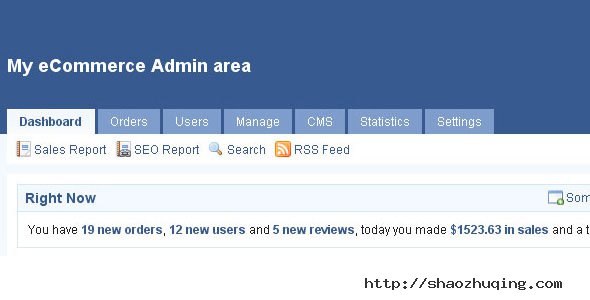
INADMIN
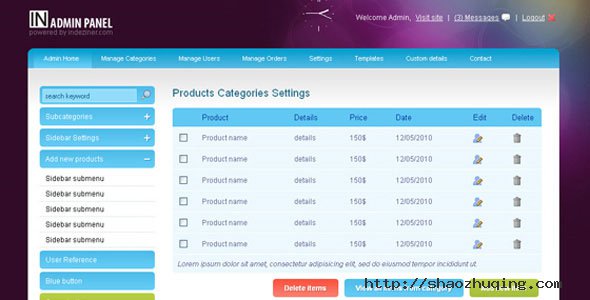
Free admin skin
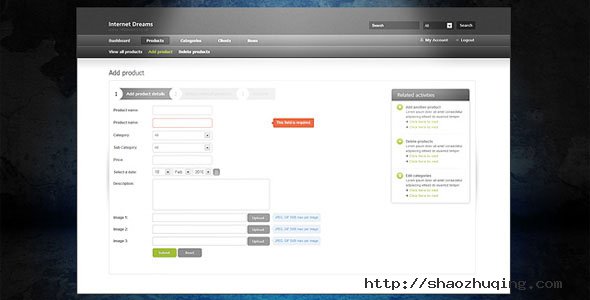
AdminPraise Lite
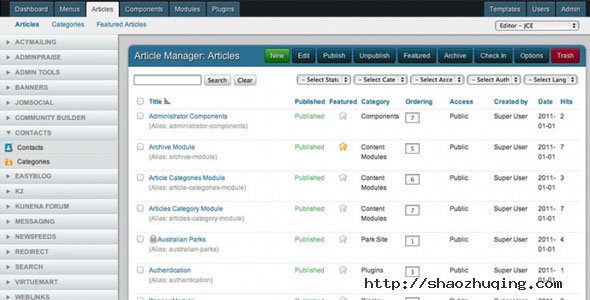
Premium Admin HTML Website Templates
MWS Admin – Full Featured Admin Template

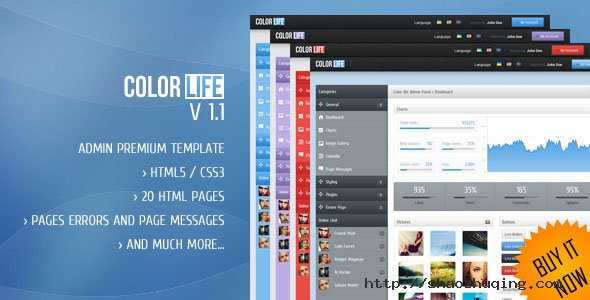
Color life – Premium Admin Template
AdminCP

Spina – Premium Admin Template + Tablet Theme

Cupcake – Premium Admin Template + Mobile Theme

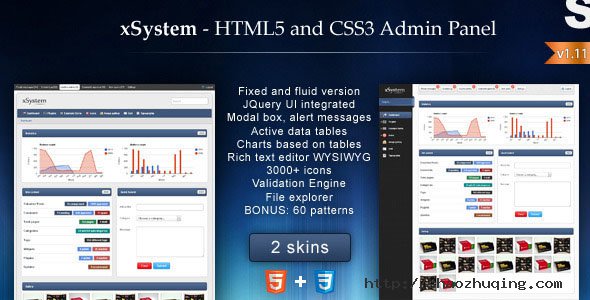
xSystem – HTML5 and CSS3 Admin Template
Mandy Lane Premium Admin Template

It’s Brain – premium admin theme

vPad – HTML5+CSS3 App Framework

Adminium – Modern Admin Panel Interface

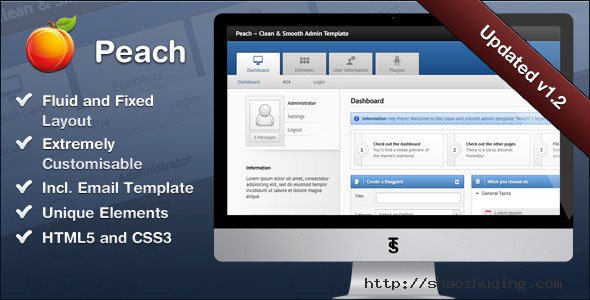
Peach – Clean & Smooth Admin Template
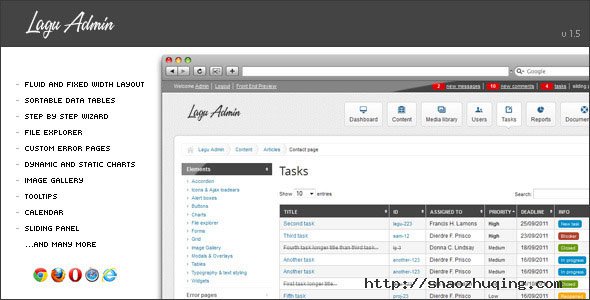
Lagu Admin Premium Template
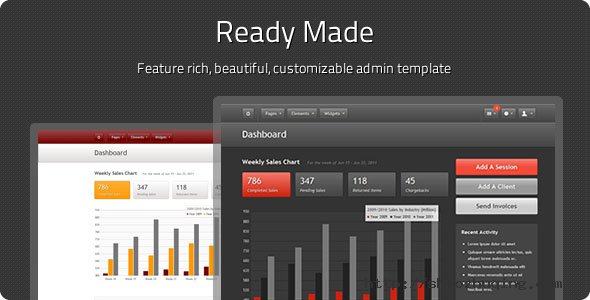
Ready Made Admin – Full Featured Admin Theme
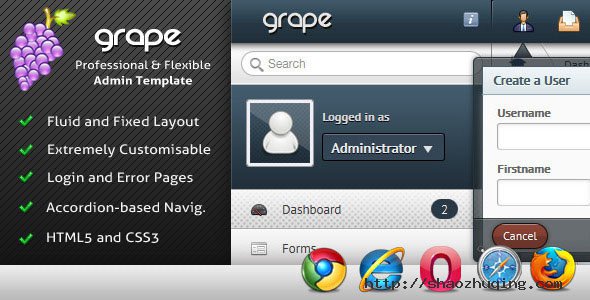
Grape – Professional & Flexible Admin Template
Chameleon Circuit – Full Featured Admin Theme

Admin Control Panel v2

White Label – a full featured Admin Skin

五十个挑花眼的 Twitter Bootstrap 模板(第二部分)
Twitter Bootstrap Bootstrap 是一个基于 HTML,CSS,JAVASCRIPT 的简洁灵活的 网站前端框架及组件包。
BootAdmin – All-In-One Admin Responsive Template
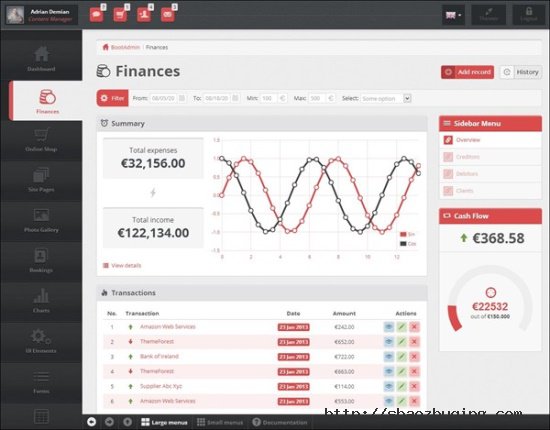
Features
- Online Shop
- Site Pages/ Photo Gallery
- Booking System
- Finance
Supr – Responsive Admin Template
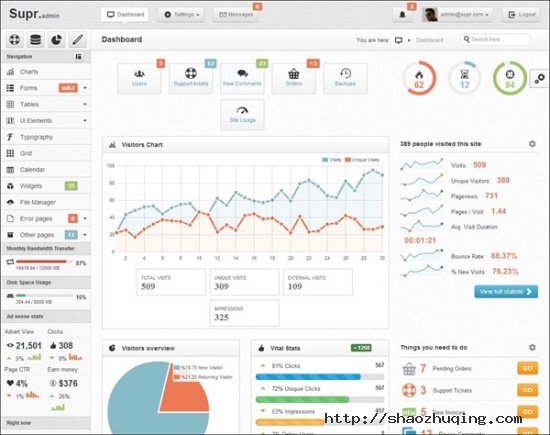
Features
- Fully Responsive Layout
- Build on Twitter Bootstrap
- jQuery Plugins
Conquer – Responsive Admin Dashboard Template

Features
- Clean and Responsive Design
- Fixed Header Layouts
- Friendly code & Template Pages
- 42+ jQuery Plugins
Beoro Admin Responsive Template
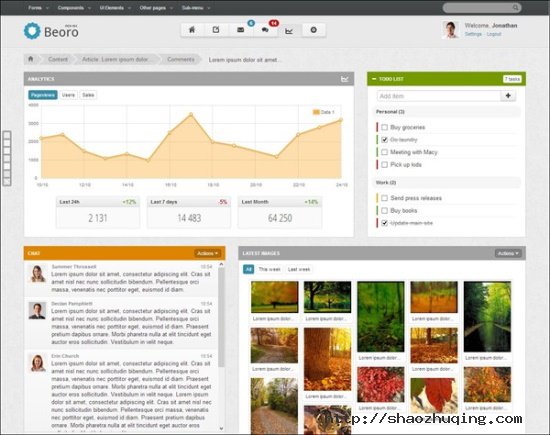
Features
- Responsive Layout (Bootstrap Framework)
- HTML5/CSS3
- custom pages, invoice,mailbox, blog, help/faq
- Charts
Start – Metro UI Responsive Admin Template
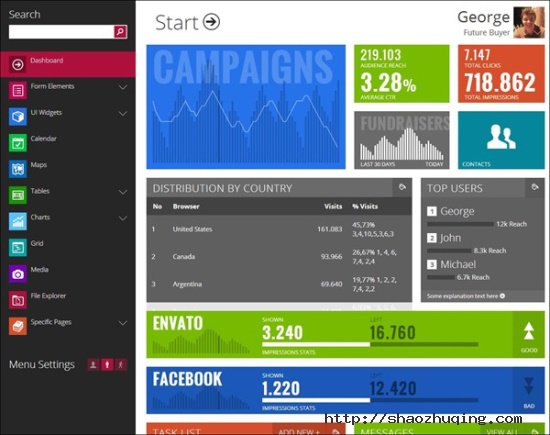
Features
- Responsive Layout (Bootstrap Framework)
- Beautiful Clean Design
- Plugins Everywhere
- Easy to Adapt
Chromatron HTML5 Admin Backend

Features
- HTML5 syntax & CSS3 markup
- Twitter Bootstrap compatible
- Responsive design
- Fluid grid system
WordPress Bootstrap Themes
Free Roots Theme for WordPress

Features
- Roots WordPress Starter Theme
- HTML5 Boilerplate & Bootstrap
AlYoum | Retina Magazine & Blog WordPress Theme
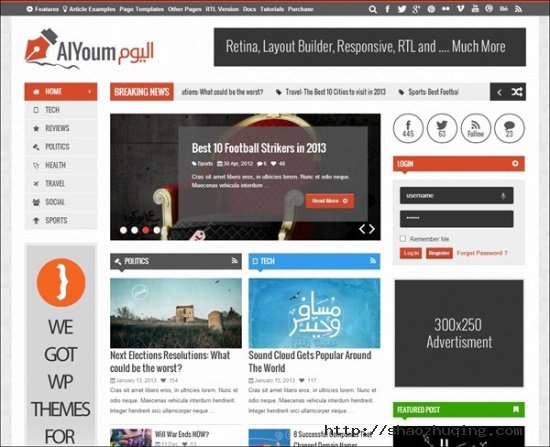
Features
- 19 Ready Widgets
- 8 Ready HomePage Templates
- Drag and Drop layout builder
- Retina Display Ready
Point Business Responsive WP Theme
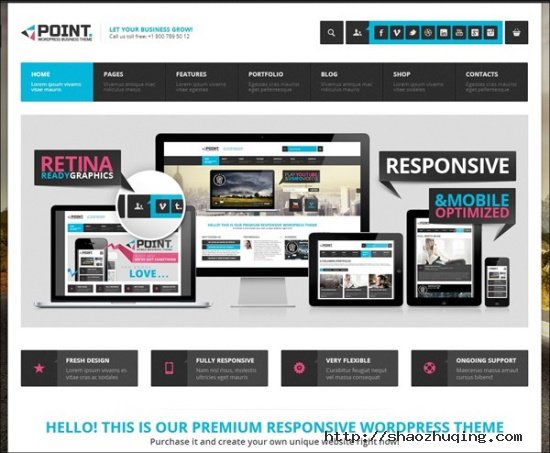
Features
- Fully Responsive
- HTML5 & CSS Code
- Woocommerce 2.0.5 Ready
- Drag & Drop GT3 Page Builder
Alterna – Retina Responsive Multi-Purpose WordPress Theme

Features
- Retina-Ready
- Visual Composer page builder
- 5 Header Layout style
- Bootstrap builder
- Layer slider and Revolution Slider
Frenzy Responsive Multi-Purposes Theme
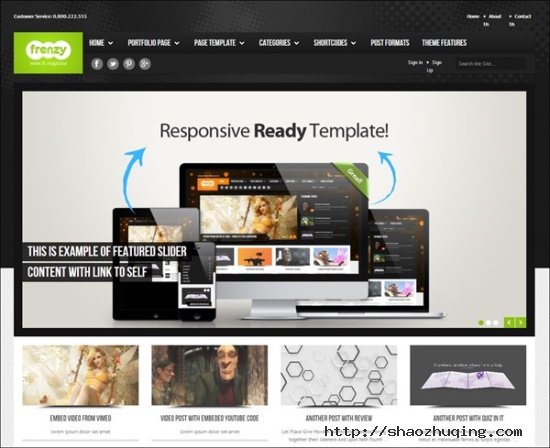
Features
- Fully Responsive
- WooCommerce Compatibility
- Post Formats
Black Label – Fullscreen Video & Image Background

Features
- Fullscreen Video Background Support
- Fullscreen HTML5 Video Background Support
- Fullscreen Images Background Support
- Responsive HTML5 & CSS3
- Retina Display ready
- Audio Background while viewing images
SmartBox – Responsive WordPress Bootstrap Theme

Features
- Responsive Design
- Based on Bootstrap
- Retina Display Ready
- Custom Widgets
BUILDER – Responsive Multi-Purpose Theme
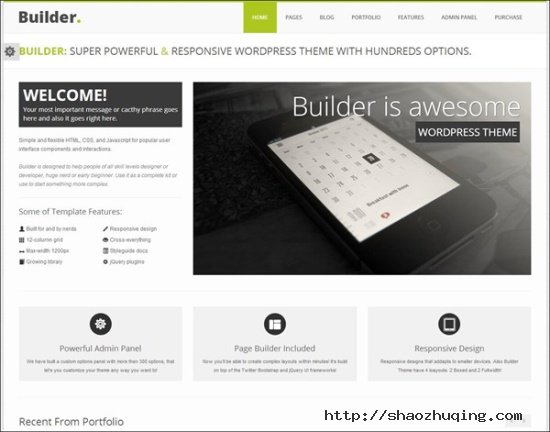
Features
- HTML5 & CSS3 & jQuery
- JQuery Responsive Dropdown menu
- Respinsive Design
One Touch – Multifunctional Metro Stylish Theme
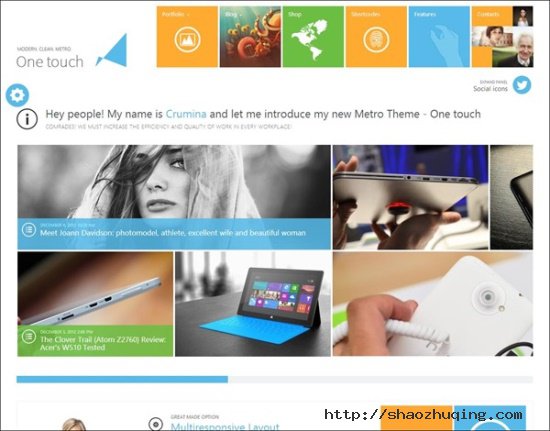
Features
- Fully Responsive WordPress Theme
- Retina Ready
- Google Fonts
- Drag Drop page Builder
Fundraising/Charity Premium WordPress Theme
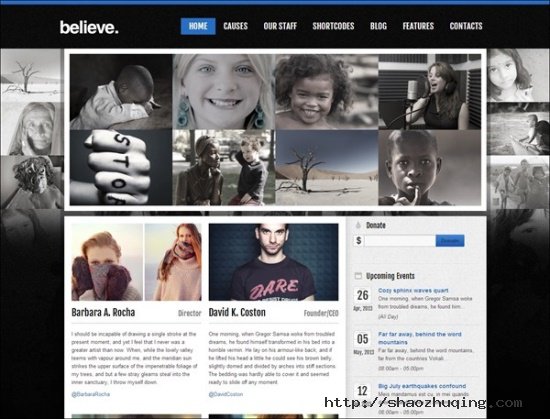
Features
- Create Cause
- Promote Causes with Landing Page Builder
- Responsive Design
Studiofolio: A Versatile Portfolio and Blog Theme
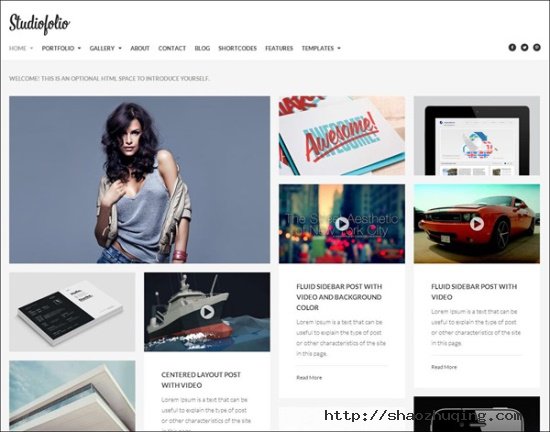
Features
- Infinite Portifolio and Galleries
- Fluid or Fixed Width Layout
- Custom backgrounds for pages
Blogbold – Responsive Metro Blogmagnews Theme

Features
- Blogbold is Responsive WordPress theme
- layout builder and module
- Developed base on Bootstrap
Quartum Responsive Portfolio WP Theme

Features
- 45+ Custom Shortcodes
- Shortcode Generator
- Translation Ready
- Built with Bootstrap
Knowledge Base – A WordPress Wiki Theme
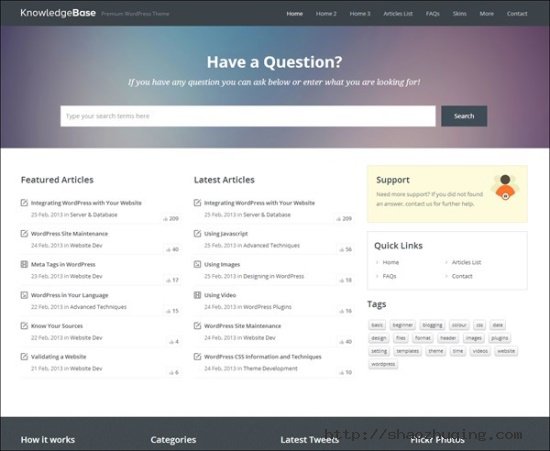
Features
- Modern Design
- Responsive Layout
- Ajax Based Live Search
- Bult in Twitter Bootstrap
Metro Mobile Premium WordPress Mobile Template
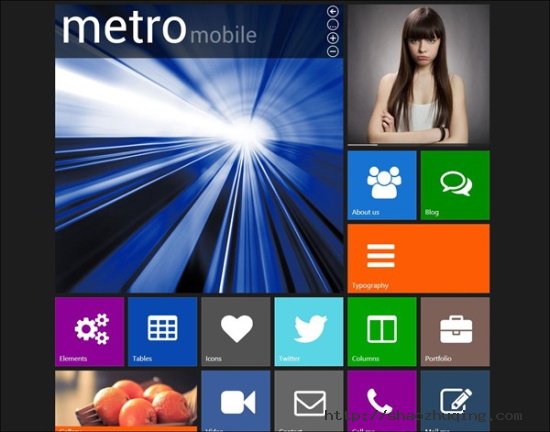
Features
- Metro Style Layout
- Create your own Metro Style
- Camera Slider
- Mobile Detection
Valencia | Responsive WordPress Theme
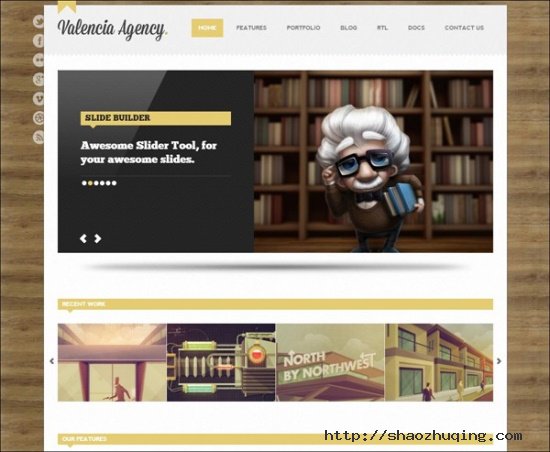
Features
- Responsive Layout
- Powerful Admin Panel
- Layout Builder
TrustMe – Responsive WordPress Magazine / Blog

Features
- Builtin Review Posts
- Fully Responsive Design
- Ajax Rebuild Thumb
五十个挑花眼的 Twitter Bootstrap 模板(第一部分)
Twitter Bootstrap Bootstrap 是一个基于 HTML,CSS,JAVASCRIPT 的简洁灵活的 网站前端框架及组件包。
Free Bootbusiness

Features
- Twitter Bootstrap version: 2.1.1
- HTML5 & CSS3 with Responsive
- Slider in Home page
- Lightbox in Portfolio page
Free Responsive HTML Template Andia

Features
- Responsive Layout
- 5 Pages: Home, Portfolio, Services, About, Contact
- Responsive Image Slider (Flexslider)
- Filterable Portfolio (jQuery Quicksand and PrettyPhoto)
- AJAX Contact Form with Form Validation
Readable (Free)
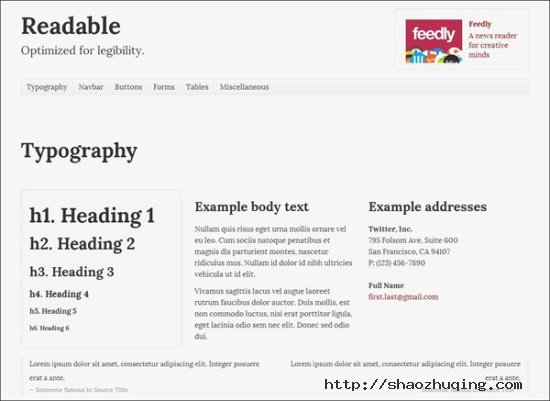
Features
- Responsive Layout
- Typography, navbar, buttons, forms and tables
Smashing Theme – Responsive HTML5 Theme
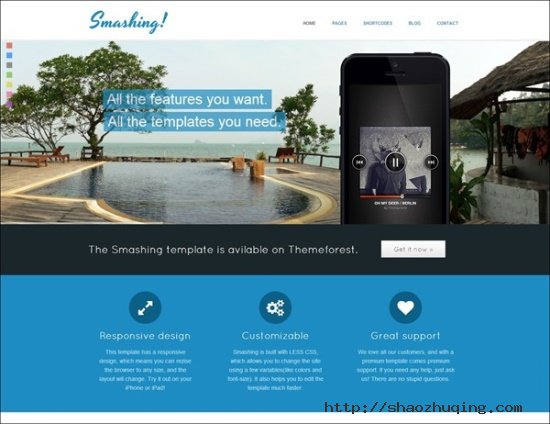
Features
- Responsive
- Retina support
- 250 vector icons
- Contact Form 7 support
- Custom Portfolio
Myway – Onepage Bootstrap Parallax Retina Template
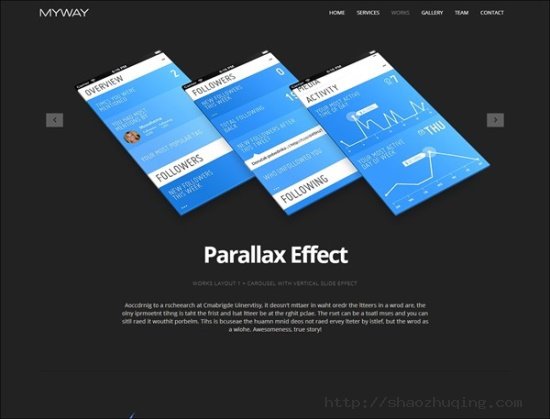
Features
- Fully Responsive
- Parallax Effect
- Retina Ready
- Google Fonts
VALOR – Responsive HTML Template
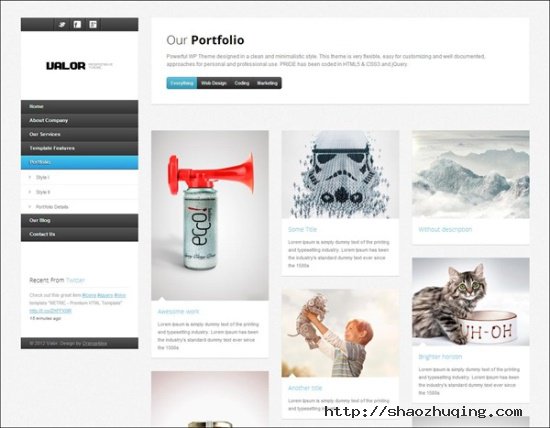
Features
- HTML5 & CSS3 & jQuery
- Responsive Bootstrap grid
- Filtered portfolio with css3 animations
- Working js/php Contact Form
YellowProject Bootstrap Responsive Template

Features
- Bootstrap Based
- Valid HTML5 & CSS Code
- Responsive Design
- Retina Ready
OHMY! HTML5, CSS3, Bootstrap website template
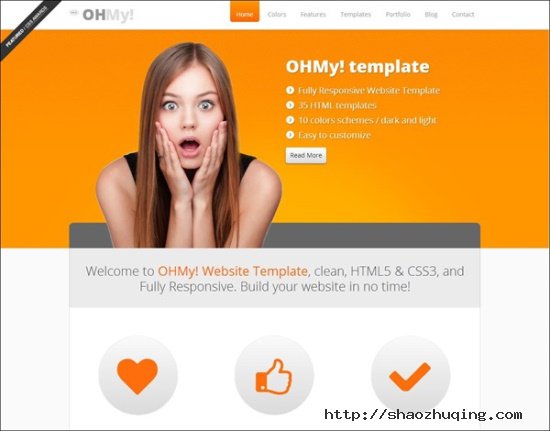
Features
- HTML5 & CSS3 Bootstrap Based
- 10 color schemes
- 4 sliders and 3 functional widgets
- Fully Responsive
Edge Corporate Web Template

Features
- Fully Responsive
- Incredible design
- Twitter Bootstrap Framework
Xiara – Responsive Onepage Parallax HTML Template

Features
- Contact Form Ready
- Fully Responsive
- Based on Bootstrap
Verendus – Responsive Business Template
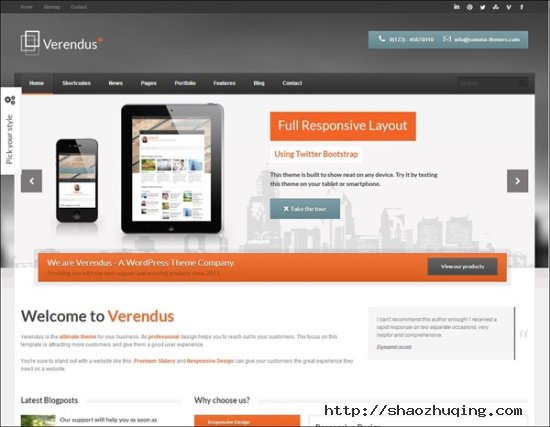
Features
- Two Premium Sliders worth $20
- Unlimited Styles
- 22 Layered PSD Files
Joiee – Multipurpose Responsive HTML5 Theme

Features
- Clean, Blod, Responsive
- Retina Ready HTML5 Theme
- suitable for any business
Crafty – Responsive Retina-ready HTML Template
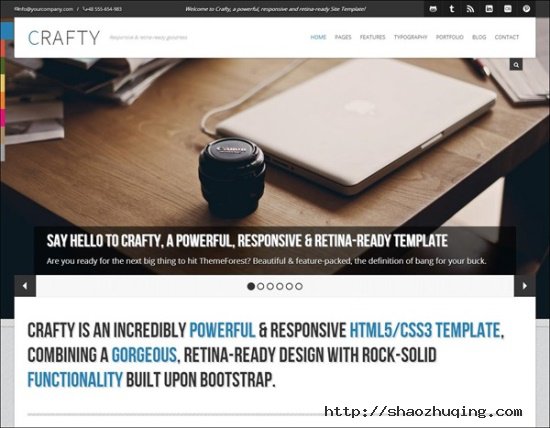
Features
- Fully Responsive
- Retina-Ready template with BootStrap
Viva – HTML5 Responsive Unique Theme

Features
- Fully Responsive on bootstrap
- CSS3 + Sorting Portfolio
oRESUME – Responsive Vcard & Portfolio
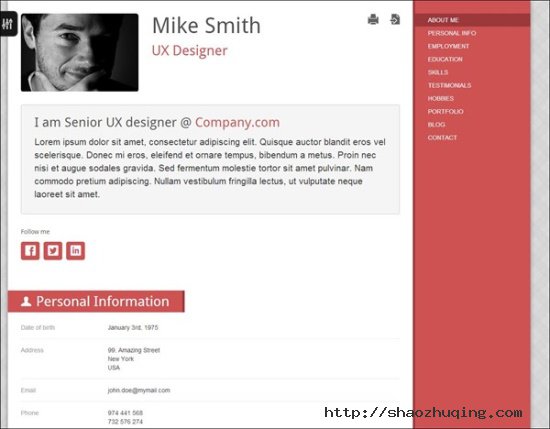
Features
- Sortable Portfolio
- Skin Maker
Roy – Responsive Vcard With Facebook Layout
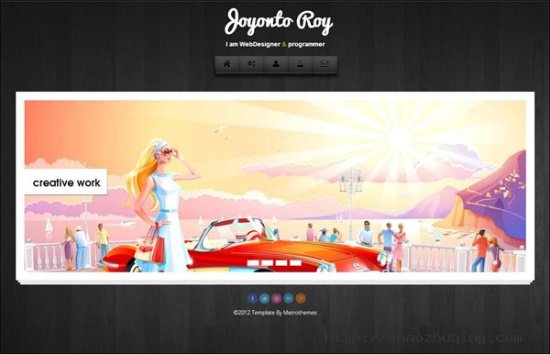
Features
- Twitter Bootstrap
- HTML5 & CSS3
- Unique Design
- Fully Responsive
Night Life Bootstrap Responsive Dark Template

Features
- Fully Responsive
- Background Animation
- Creative Gallery Montage
- Bootstrap Enchanced
Plain Responsive Template

Features
- Responsive HTML5 and CSS3 design
- Based on latest Twitter bootstrap (v2.2.1)
- jQuery 1.7.2
- Support for touch gestures on mobile devices
Jday – Coming Soon page
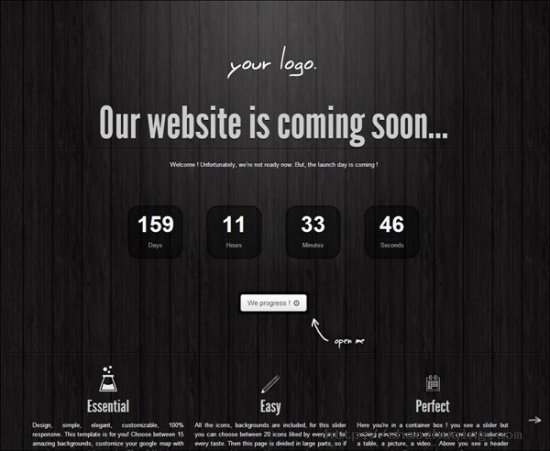
Features
- Responsive HTML5 and CSS3 design
- Contact Form
- PHP Scripts
- 3D amazing Backgrounds
Greened – Bootstrap Coming Soon Page
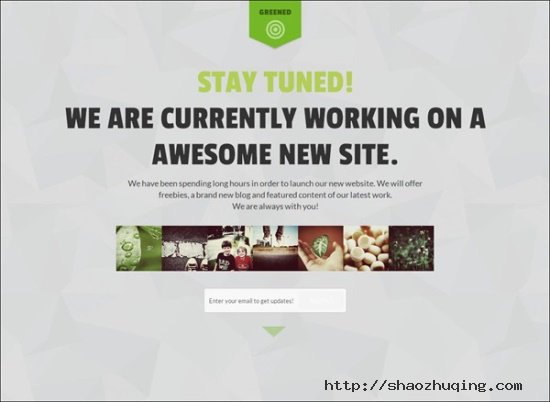
Features
- Bootstrap v2.2.1 and Responsive Layout
- Optimized for Ipad and Iphone
- 40 Pattern Background
- FullScreen Slideshow Transition Effects
Caelus – Bootstrap Coming Soon Page

Features
- Built with Bootstrap 2.2.2 and Responsive
- jQuery countdown timer
- CSS3 animated sign up
Charisma – free, responsive admin template
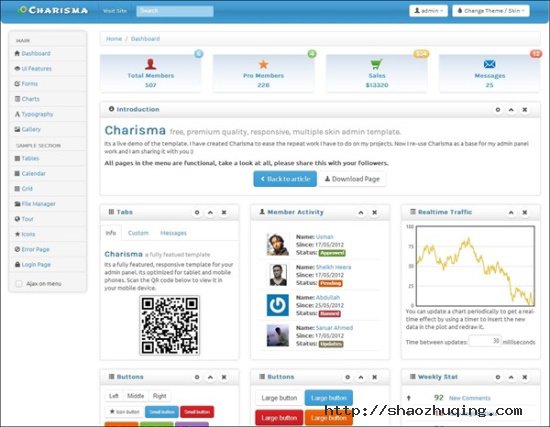
Features
- 9 different themes
- Fully responsive
- Based on Bootstrap
- HTML5 valid and CSS3
MWS Admin – Full Featured Admin Template
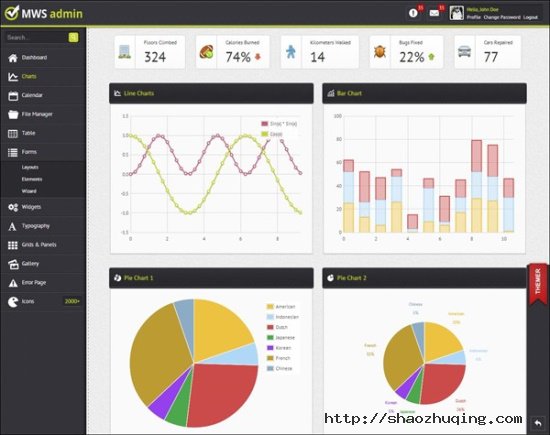
Features
- Responsive Layout
- unlimited Colors
- Bootstrap Integration
- jQuery-UI Integration
Boo Admin – Responsive Template

Features
- HTML5/CSS3
- iPad & iPhone Friendly
- Integrated Bootstrap Plugins
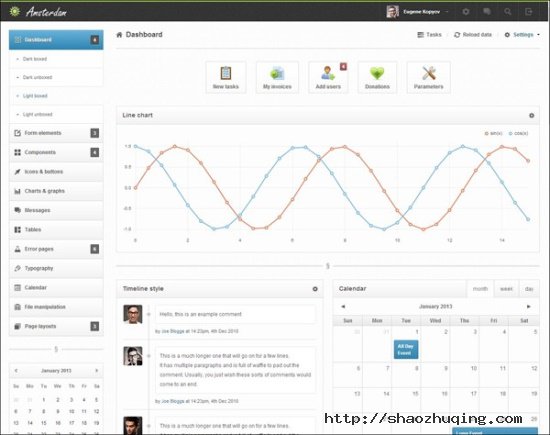
Amsterdam – Premium Responsive Admin Template
Mysql命令行技巧汇总
1) pager
pager真是一个很神奇的东西,它可以控制mysql的输出。默认值是stdout,直接输出。
艾,貌似讲不清楚啊,还是看几个例子吧:
mysql> SELECT mobile FROM profile WHERE mobile!=''; +-------------+ | mobile | +-------------+ | 13719001986 | | 123214234 | +-------------+ 2 ROWS IN SET (0.00 sec) mysql> mysql> pager grep "137" PAGER SET TO 'grep "137"' mysql> mysql> SELECT mobile FROM profile WHERE mobile!=''; | 13719001986 | 2 ROWS IN SET (0.00 sec) mysql> pager DEFAULT pager wasn't set, using stdout |
相当于在输出之后附加了 | grep “137″ ,是不是很震憾。
不止是grep, 所有linux上面的命令都可以的,自由发挥吧。
比如select很多行数据,就可以设置pager more,一页一页地看。
再比如要比较二次select的结果是否相同,可以设置pager md5sum,实在是太赞了。
再比如,只想看select语句运行需要多长时间,而不想看到select出来的结果集,可以使用
pager cat > /dev/null
再比如,看一下processlist里面Sleep的线程有多少,可以使用
pager grep Sleep | wc -l
2) edit
肯定有人会有这样的想法:在mysql命令行里面编辑一个复杂点的sql语句实在是太费神了,光标只能左右移动,要是有个vi就好多啦。
其实真的有….
mysql> edit
就这么简单,谁用谁知道。
3) tee
如果想记录下来您所有的操作及输出,除了屏幕录象软件之外,还有这么一个神奇的东西tee。
mysql> tee /tmp/h.log Logging TO file '/tmp/h.log' mysql> mysql> mysql> SHOW engine innodb STATUS; ......... mysql> exit |
所有的一切都被记录在 /tmp/h.log文件中了。
4) prompt
快要去吃午饭了, 这时如果你又想看一条UPDATE语句究竟会执行多久,怎么办?
等下去就要饿死啦。
修改一下mysql的prompt提示符,轻松解决这个问题:
mysql> prompt \r:\m:\s\P>\_ PROMPT SET TO '\r:\m:\s\P>\_' 11:30:10am> 11:30:11am> 11:30:11am> 11:30:12am> 11:30:12am> 11:30:12am> 11:30:12am> |
输入UPDATE语句,回车走人。
吃完饭回来就可以看到执行结束的时间了。
5) ctrl+z
作为一个dba,每天都要在命令行中登陆mysql,运行完sql语句,随手就logout了,(快捷键是ctrl+d),
过一段时间又要login,又随手logout……
重复重复再重复,不仅浪费时间,而且输入mysql root的复杂密码也会烦死个人。
这个logout的坏习惯,一定要改掉。。。,哥已经改掉了。
mysql> mysql> mysql> SELECT now(); +---------------------+ | now() | +---------------------+ | 2012-12-25 15:33:16 | +---------------------+ 1 ROW IN SET (0.00 sec) mysql> 不要按ctrl+d了, 换成Ctrl+z , 暂停任务。 [1]+ Stopped /home/mysql/bin/mysql -uroot -p [MODIFY@www 8p]$ [MODIFY@www 8p]$ [MODIFY@www 8p]$ 需要用到mysql的时候, 输入fg回车: [MODIFY@www 8p]$ fg /home/mysql/bin/mysql -uroot -p mysql> mysql> |
是不是很爽。。。
6) html输出
-H
[root@www ~]# /home/mysql/bin/mysql -uroot -p -H -e "select host from mysql.user"; Enter password: <TABLE BORDER=1><TR><TH>host</TH></TR><TR><TD>localhost</TD></TR><TR><TD>localhost</TD></TR><TR><TD>localhost</TD></TR><TR><TD>localhost</TD></TR><TR><TD>localhost</TD></TR><TR><TD>localhost</TD></TR></TABLE>[root@www ~]# |
7) 最简化输出
如果只想要结果,不要那些边框,字段名称之类的东西,可以使用 –skip-line-numbers –skip-column-names
[root@www ~]# /home/mysql/bin/mysql -uroot -p -e "select count(*) from shipincon.share where add_time >= current_date()"; +----------+ | COUNT(*) | +----------+ | 850 | +----------+ [root@www ~]# /home/mysql/bin/mysql --silent --skip-line-numbers --skip-column-names -uroot -p -e "select count(*) from shipincon.share where add_time >= current_date()"; 850 |
8) help
在不方便上网查找mysql文档的情况下,help还是很靠谱的。
mysql> help string functions;
You asked FOR help about help category: "String Functions"
FOR more information, TYPE 'help <item>', WHERE <item> IS one OF the following
topics:
   ASCII
   BIN
   BINARY OPERATOR
   BIT_LENGTH
   CAST
   CHAR FUNCTION
   CHARACTER_LENGTH
   CHAR_LENGTH
   CONCAT
   CONCAT_WS
   CONVERT
   ELT
   EXPORT_SET
   EXTRACTVALUE
   FIELD
   FIND_IN_SET
   FORMAT
   HEX
........

mysql> help instr;
Name: 'INSTR'
Description:
Syntax:
INSTR(str,substr)

RETURNS the POSITION OF the FIRST occurrence OF SUBSTRING substr IN
string str. This IS the same AS the two-argument form OF LOCATE(),
EXCEPT that the ORDER OF the arguments IS reversed.

URL: http://dev.mysql.com/doc/refman/5.5/en/string-functions.html

Examples:
mysql> SELECT INSTR('foobarbar', 'bar');
        -> 4
mysql> SELECT INSTR('xbar', 'foobar');
        -> 0
|
支持博主

关于邵珠庆博客
文章标签
记事邵珠庆博客
最近文章
最近评论
- 发表在《中国翻墙网民状况调查》
- 发表在《教你如何简单获取新浪微博短地址接口》
- 发表在《教你如何简单获取新浪微博短地址接口》
- 发表在《教你如何简单获取新浪微博短地址接口》
- 发表在《教你如何简单获取新浪微博短地址接口》
博客日历
目录分类
文章归档
- 2025年8月 (2)
- 2022年9月 (1)
- 2022年8月 (3)
- 2022年7月 (1)
- 2022年3月 (1)
- 2021年10月 (3)
- 2021年1月 (1)
- 2020年4月 (3)
- 2020年3月 (3)
- 2020年2月 (2)
- 2020年1月 (3)
- 2019年12月 (2)
- 2019年11月 (3)
- 2019年10月 (2)
- 2019年9月 (2)
- 2019年8月 (4)
- 2019年7月 (2)
- 2019年6月 (2)
- 2019年5月 (2)
- 2019年4月 (3)
- 2019年3月 (2)
- 2019年2月 (3)
- 2019年1月 (2)
- 2018年12月 (2)
- 2018年11月 (2)
- 2018年10月 (3)
- 2018年9月 (2)
- 2018年8月 (2)
- 2018年7月 (1)
- 2018年6月 (2)
- 2018年5月 (3)
- 2018年4月 (2)
- 2018年3月 (6)
- 2018年2月 (7)
- 2018年1月 (3)
- 2017年11月 (2)
- 2017年10月 (2)
- 2017年9月 (5)
- 2017年8月 (4)
- 2017年7月 (8)
- 2017年6月 (5)
- 2017年5月 (14)
- 2017年4月 (8)
- 2017年3月 (5)
- 2017年2月 (2)
- 2017年1月 (1)
- 2016年12月 (1)
- 2016年11月 (5)
- 2016年10月 (3)
- 2016年9月 (2)
- 2016年8月 (1)
- 2016年7月 (2)
- 2016年6月 (2)
- 2016年5月 (5)
- 2016年4月 (5)
- 2016年3月 (2)
- 2016年2月 (1)
- 2016年1月 (2)
- 2015年12月 (2)
- 2015年11月 (1)
- 2015年10月 (3)
- 2015年9月 (2)
- 2015年8月 (4)
- 2015年7月 (5)
- 2015年6月 (6)
- 2015年5月 (3)
- 2015年4月 (8)
- 2015年3月 (6)
- 2015年2月 (4)
- 2015年1月 (5)
- 2014年12月 (2)
- 2014年11月 (5)
- 2014年10月 (5)
- 2014年9月 (1)
- 2014年8月 (2)
- 2014年7月 (4)
- 2014年6月 (1)
- 2014年5月 (9)
- 2014年4月 (5)
- 2014年3月 (1)
- 2014年2月 (1)
- 2014年1月 (5)
- 2013年12月 (4)
- 2013年11月 (12)
- 2013年10月 (6)
- 2013年9月 (7)
- 2013年8月 (8)
- 2013年7月 (15)
- 2013年6月 (9)
- 2013年5月 (12)
- 2013年4月 (8)
- 2013年3月 (11)
- 2013年2月 (9)
- 2013年1月 (21)
- 2012年12月 (8)
- 2012年11月 (7)
- 2012年10月 (19)
- 2012年9月 (16)
- 2012年8月 (13)
- 2012年7月 (10)
- 2012年6月 (11)
- 2012年5月 (11)
- 2012年4月 (8)
- 2012年3月 (8)
- 2012年2月 (11)
- 2012年1月 (8)
- 2011年12月 (18)
- 2011年11月 (32)
- 2011年10月 (17)
- 2011年9月 (18)
- 2011年8月 (11)
- 2011年7月 (55)
- 2011年6月 (1)
- 2011年5月 (4)
- 2011年4月 (2)
- 2011年3月 (1)
- 2011年1月 (3)
- 2010年12月 (1)
- 2010年11月 (6)
- 2010年9月 (5)
- 2010年8月 (2)
- 2010年7月 (3)
- 2010年6月 (7)
- 2010年5月 (3)
- 2010年4月 (4)
- 2010年3月 (8)
- 2010年2月 (2)
- 2010年1月 (2)
- 2009年12月 (2)
- 2009年11月 (1)
- 2009年10月 (1)
- 2009年8月 (1)
- 2009年7月 (2)
- 2009年5月 (1)
- 2009年4月 (1)
- 2009年3月 (1)
- 2009年2月 (1)
- 2009年1月 (1)
- 2008年12月 (1)
- 2008年11月 (2)
- 2008年10月 (1)
- 2008年8月 (5)
- 2008年7月 (2)
- 2008年6月 (1)
- 2008年5月 (3)
- 2008年4月 (11)
- 2008年3月 (1)
- 2008年2月 (1)
- 2008年1月 (1)
- 2007年12月 (1)
- 2007年11月 (3)
- 2007年10月 (1)
- 2007年9月 (1)
- 2007年8月 (1)
- 2007年7月 (1)
- 2007年6月 (1)
- 2007年5月 (1)
博客功能
京东好物